Designers must understand that user interface as well as ease of use are the two most important features of any electronics device. The more intuitive the device the more likely people are to keep using it. As a first generation Ipod touch user and an iphone 3gs owner I see the value of simple, intuitive confident design. Looking at the itablet (ipad) what I see in this design are three key qualities, ergonimcs, ease of use and versatility. All of these combined make this device one of the most interesting on the market at the moment. The smooth, slick design reminds us of the macbook air but without the keyboard. As it is a laptop we will expect less from it but get more out. The macbook air is running the same OS as the Macbook Pro therefore we expect it to do the same things but when it cannot then we say it underperfoms. The tablet doesn’t have that problem. It’s sold as a slate that has a touch screen that can serve as a multimedia device. Ease of use is another key feature. When you’re using a netbook, an N97 or many other devices you need some understanding of how things work. You need to understand how to configure an exchange server, you need to type the right character to complete the word and if you want to transfer files you need specific software. Of course the tablet has the same thing, you need itunes to do this. That’s an advantage and a dissadvantage. The advantage is that whenever you connect to any laptop (With the right library key) you can update podcasts and other content intuitively. The second advantage is that the app store is so much easier to use on the mac than other platforms. We are used to buying apps and music on that device. Who hasn’t downloaded 10-15 apps for their iphone or ipod touch already? Imagine the facebook app on the tablet, or the flickr app. In fact think about the day after a party. Hundreds of pictures were taken and you want to show them to friends, and have a good laugh. With the computer you can do this but you’re stuck at the desk, or you’re sitting down to be more comfortable. With the Ipad you hold it comfortably and a few people can stand around to see these images. Of course it’s less intimate than showing them on an iphone ;-). It’s also a way of demonstrating your picture portfolio or your multimedia showreel.  Versatility is the last point of interest for this device. If you want to use it for picture viewing then it could double as a photo frame, if you want to use it as a calendar and e-mail client then you can. If you want to play games then the larger screen means that all the games you already have for the iphone and ipod touch can be used. Finally you can dock a keyboard to the screen and it becomes a 750 gram laptop. The advantage of this device’s keyboard, bought seperately is that you now have a laptop. You’re free to tweet, blog, sort through pictures and edit documents if iworks works well on the device. Now the question you’re wondering, would I buy one? Not until July 2010 after the summer keynote. I want to see how they implement these new features into their line of futre laptops. Will they give us a dual screened laptop where the keyboard and mouse are replaced by a second touch screen or will we get the conventional keyboard and monitor where the screen is now touch based? That’s the point at which we can decide whether the tablet or a new laptop make more sense.
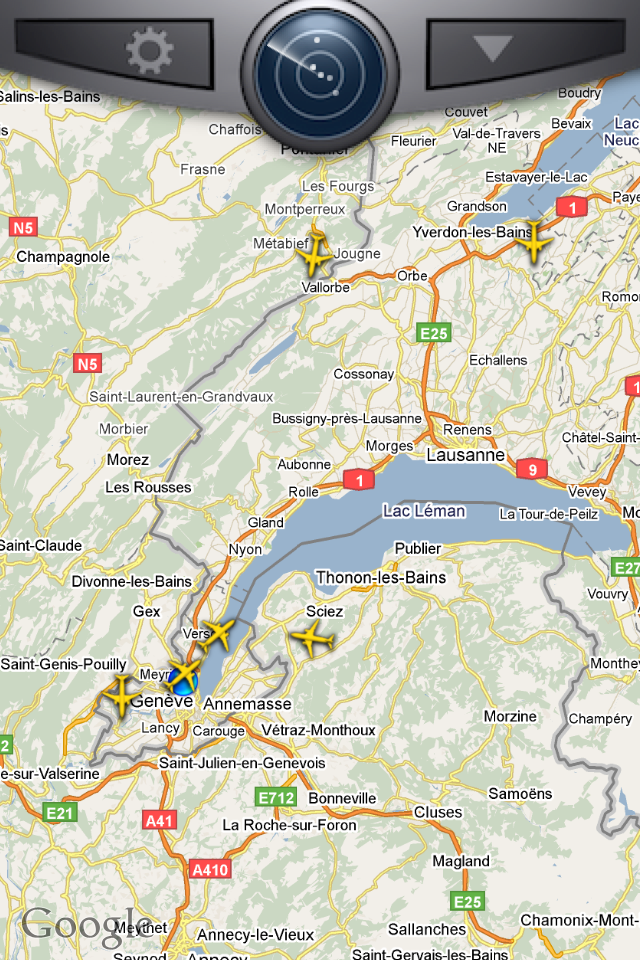 [/caption] Sit on a city roof or at the top of a mountain and as you see a plane fly above you you will know where it’s coming from and where it’s going. Next time I have to pick someone up at the airport I will be using the flight tracker to know exactly where the plane is. Boredom will be of a different type. [caption id=“attachment_1327” align=“aligncenter” width=“200” caption=“Flight information”]
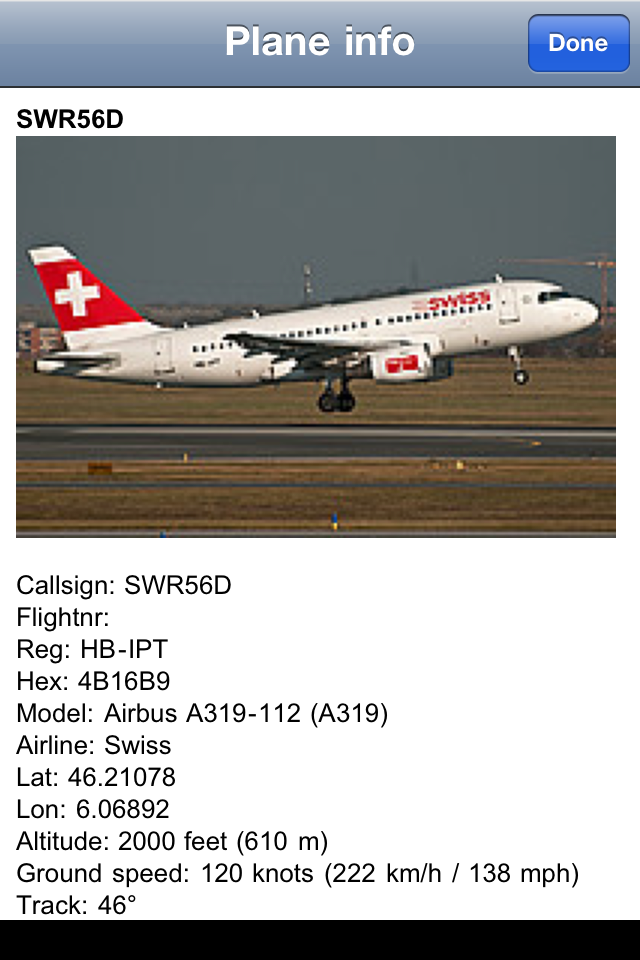 [/caption] The information about what the plane is doing is quite complete. The only thing missing would be a live radio feed of the ATC communications.
 Google latitude is the perfect tool for anyone that works and has a life where logging into locations would be an unsightly thing to do. By that I mean that you can’t arrive at work and log into the location. It gives colleagues the impression you are not serious about your work. Now take this same situation in a social context. You go hiking and the people around you are not necessarily as passionate about technology. They’re walking around with paper maps after all. That’s where Google latitude comes into it’s own. Location is tracked 24 hours a day, 7 days a week every single day that your device is on. Why am I doing this? Am I not mad? Do I not have this location information to hide, and no shame? Well of course I have things to hide and shame but with this network only your closest friends can see where you are. And they only know your current location, not your previous locations. That’s where the service differs from foursquare, gowalla, yelp and all the others. Your location history is private. Only you have access to it. Then why use it in the first place? Well that’s simple. It’s a lifelog that’s not broadcast. You can keep track of how much time you’ve spent at home, at work and out socialising. Once a week I get to find out whether I was at work for more than fifty hours, whether I was at home for too many hours. More importantly i get to see whether I should not be a little more active in going out, from a personal life point of view. That’s where I’m lacking at the moment. Google latitude’s dashboard will help change that. Now, how could it improve? First of all automatic location check in. If I’m by starbucks in Geneva airport log me in if I’m seeing that network more than ten minutes. If I’m at the apple store for that amount of time log me in there. If I’m at a bar and I lose signal in that region due to poor network coverage then assume I’m in that bar. By being automatic and private location information could be quite a bit more interesting. More to the point that data is being collected anyway by mobile operators so why not take advantage of this? I believe this to be the future of mobile geo-location. With more android phones out there and more devices capable of multitasking this could easily become the norm.
 One of my personal favourites at the moment is Chrome, it’s fast, light, and behaves the way I want it to. Better still it incorporates flash into the code. This means that I can view flash content without it being installed on the computer I’m using.